Phone propped on the counter, hands covered in flour, and a recipe you lose your place in somewhere around step three. Cooking mode is for exactly that.
One step on screen
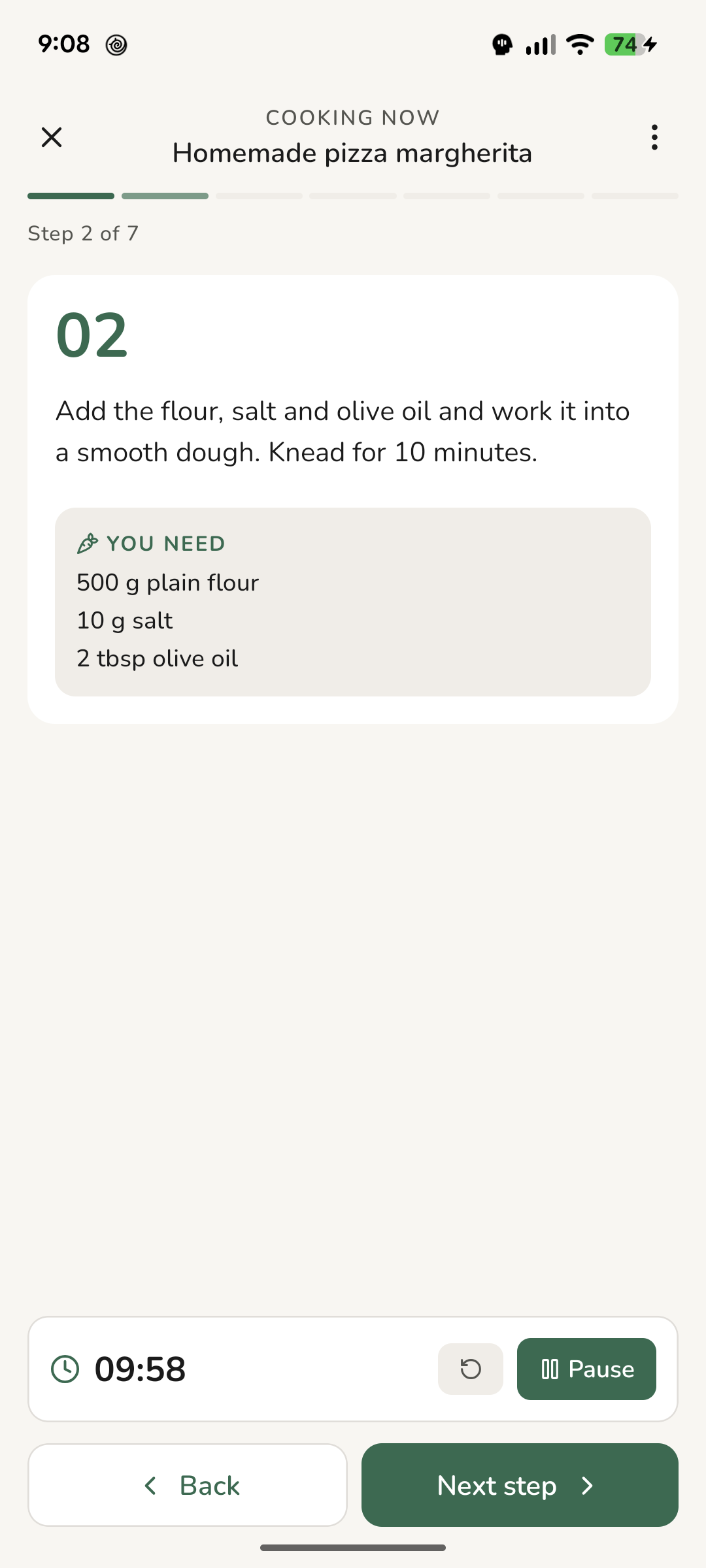
Open a recipe and tap Start cooking. Instead of the whole page you get one step, in large type - readable from the other side of the counter.
Under the step are only the ingredients that step adds. Not the whole list again. When the step says "stir in the butter and onion", you see butter and onion, in the quantities that apply tonight.
Timers that keep running
If a step has a time in it - "simmer for 10 minutes" - Thymelist turns it into a timer. Just start it.
And then you can forget about it:
- It keeps running when you leave. Move to the next step, go back to the recipe, switch to another app, lock the phone. The timer runs.
- Several can run at once, across different recipes. The pasta and the sauce don't have to take turns.
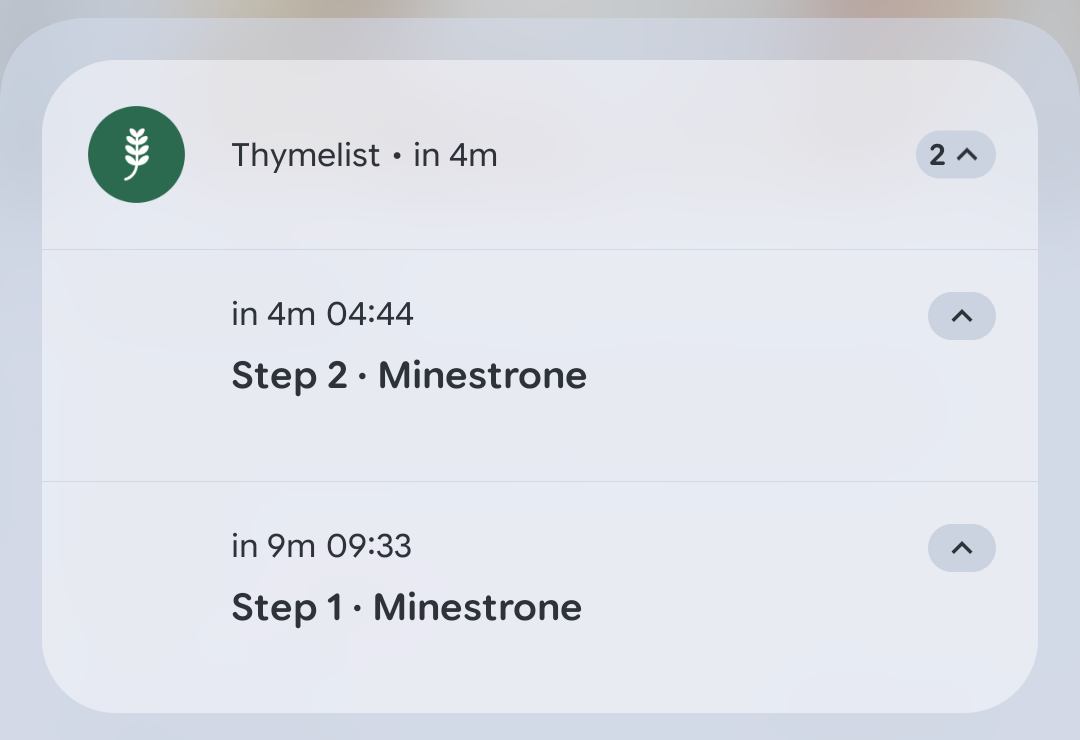
- You can see them in the notification shade, so you don't have to come back into the app to check.
When the time is up the phone sounds and vibrates. The alert waits until you acknowledge it - handy when your hands are in the dough.
You don't have to clear them at the end, either. Finishing the cook stops that recipe's timers with it - and if one is still running, Thymelist asks first.
Cooking for six?
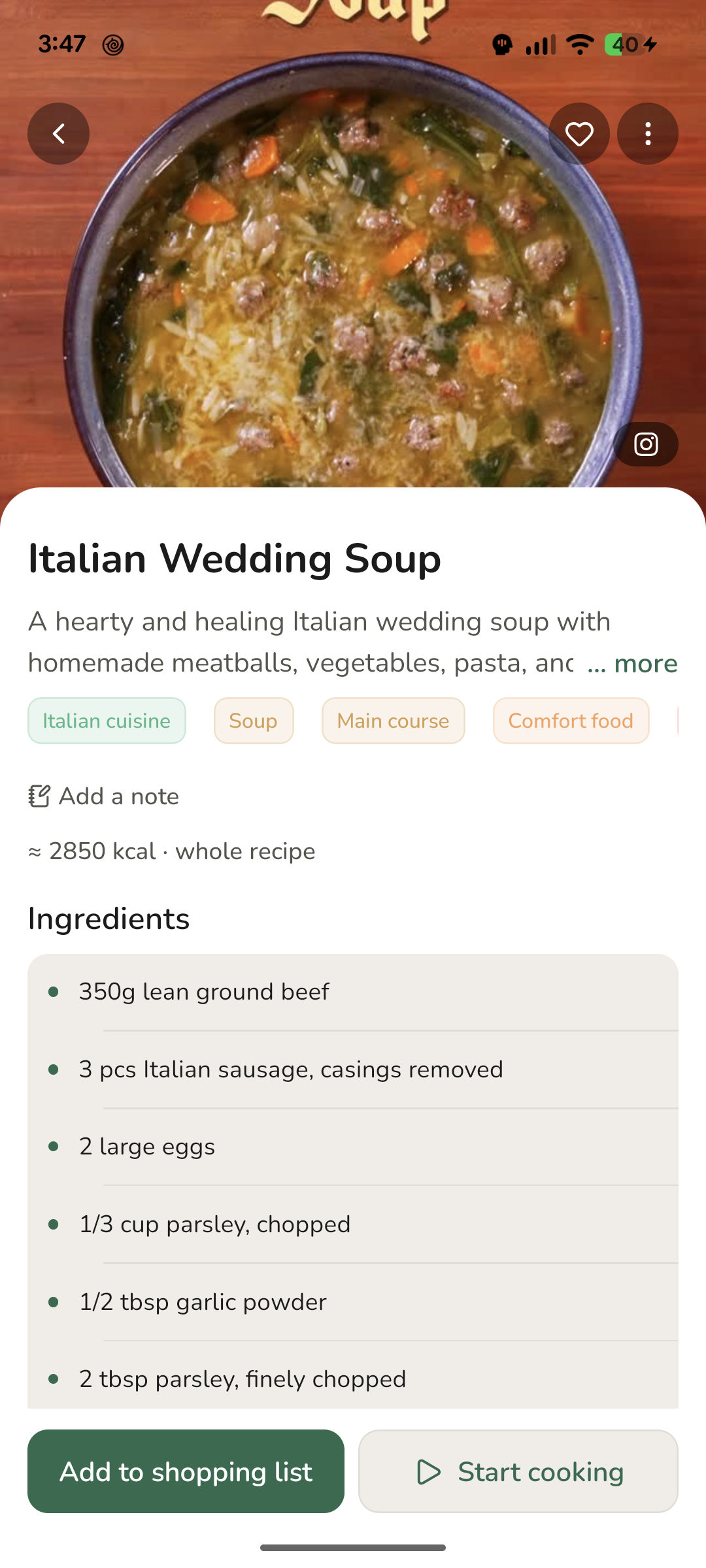
The recipe serves four and there are six of you tonight. Change the servings and the quantities follow - on the recipe and in cooking mode.
The change is temporary. The saved recipe stays as it was, so a month from now you're not wondering what it was last set to. For it to work, the recipe needs its base servings filled in. If that's missing, set it when you edit the recipe - or have it estimated from the ingredients and adjust the number afterwards.
A recipe with no method
Some sources list the ingredients and leave the method to you. When that happens Thymelist drafts the steps from what it has - and says so. A recipe like that carries a note that the steps were drafted from the ingredients and should be double-checked as you cook.
The label clears the moment you edit any step. From then on the method is yours.
And if a source has no ingredients either, Thymelist doesn't create a recipe at all. It would rather tell you it couldn't than invent one.
A note for next time
The best moment to write down that half the salt was plenty is the moment you find out. In cooking mode, Notes sit in the ⋮ menu, so you don't have to go digging through the app for them.
Notes are private. They stay with the recipe and go nowhere else - not even when you share the recipe, unless you turn that on yourself.